Modify Table
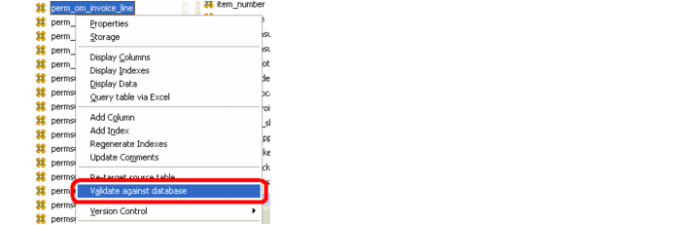
7 Do not Create(Recreate) the table. If there is any data in one of these tables, alter the table to accept the new columns. This is done by right-clicking on the table in question, and selecting the Validate against database option.
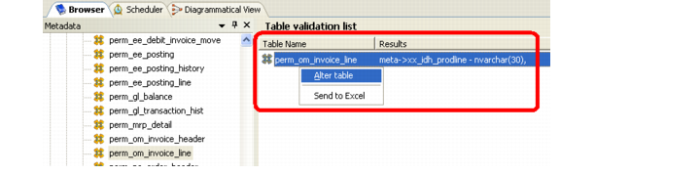
8 A list of new columns appears in the Results part of the Table validation list in the Target pane. Right-click on the list and choose the Alter table option.
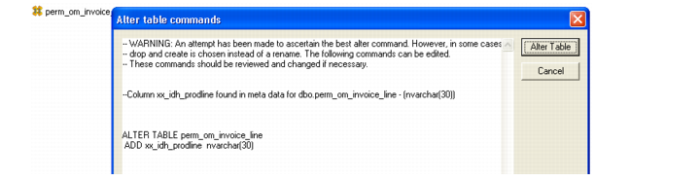
9 An editable list of table alteration commands appears in the window called Alter table commands.
Important: It is critical to review the commands listed in this window as sometime it creates commands that drop all the columns in the table. This is true of dim_ tables.
Any excess incorrect commands can be removed. The only commands that should be used here are to ADD columns or possibly modify data types.
10 When satisfied with the commands, click Alter Table to make the required additions to the table.