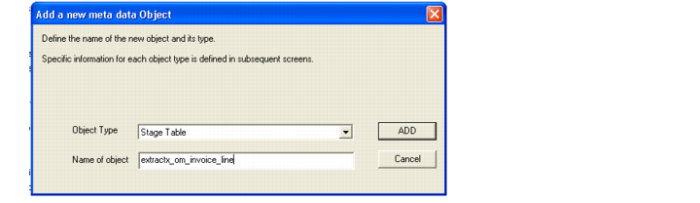
Drag and Drop New Table
1 In the source pane, be sure that the Data Warehouse connection is open and find the source table for the new parallel table.
2 Drag and drop that source table into the Target Pane. A prompt to rename the table appears.
3 Rename it to match the table it is supposed to be parallel to, that is, if there is a parallel table.
4 Make sure that the Object type is correct. It should be for Object Type Stage Table whether it is a stage or an extract.