Identify the Code to be Used in the New Procedure
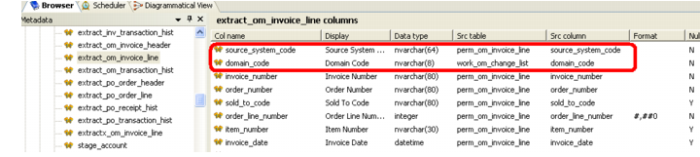
11 Go to the parallel table, if there is one, and view its column sources and its procedure code. Note in the column sources below the inclusion of work_om_change_list.
12 To view the procedure code, right click the table name in the Browser pane and choose Code -> View <code name>.
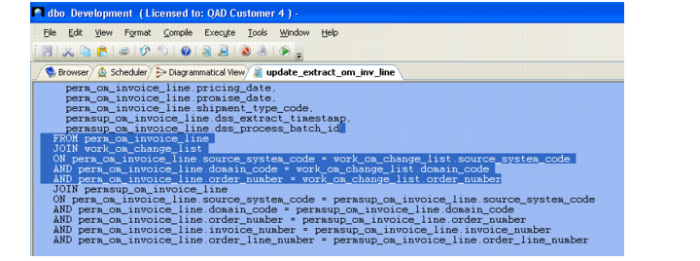
13 In the code screen, scroll down to the FROM/WHERE clause of the query, highlight it, and copy it into a notepad. In this instance, we do not need the permsup_ table data as that data is passed through in the standard modules.