Installation Steps
Follow these steps to manually install and configure a new BI Portal instance:
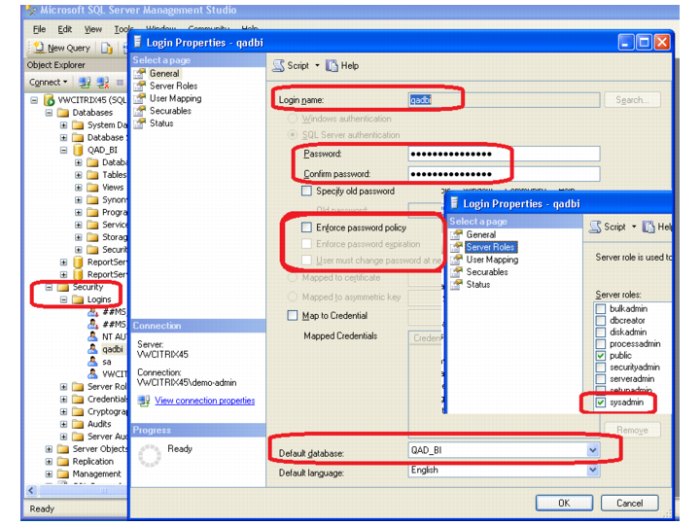
1 As part of the Portal Installation, set up a new user in the database. Go to the SQL Server Management Studio.
2 Select Security|Logins. Right-click Logins and select New Login.
3 When the Login - New screen comes up, enter the new login name; for example, qadbi.
4 Select SQL Server authentication and make sure that the Enforce password policy box is not selected.
5 Change the database from master to the database you are working with.
6 Then select the Server Roles, on the upper-left side of the window, and make sure that the Server roles public and sysadmin are both selected.
Login Properties