BI DWD
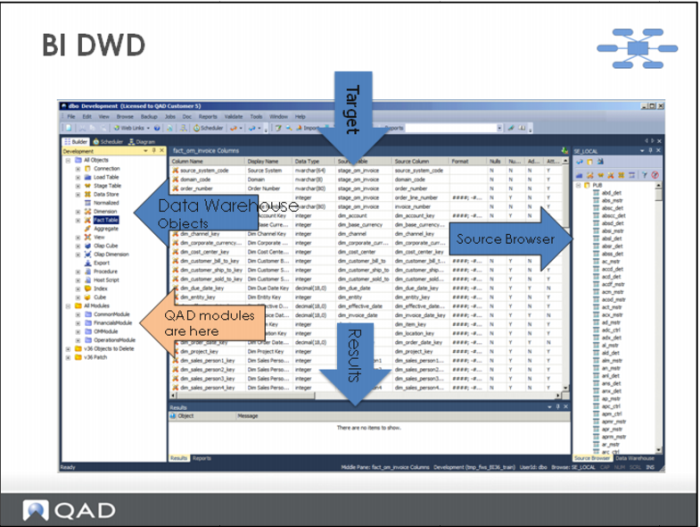
Different windows in the DWD provide a view into different DW objects.
For example:
The left pane shows the DW object builder. This displays all the objects that are present in the current DW. Fact and dimension tables are shown here. As data from source system is loaded and transformed, it moves through a series of interim tables. These include “staging” and “permanent” tables. Tables are organized by Module.
When an object is selected in the left pane, detailed information about that object is shown in the center pane.
The right pane displays the available source tables.