Create New Visual Item
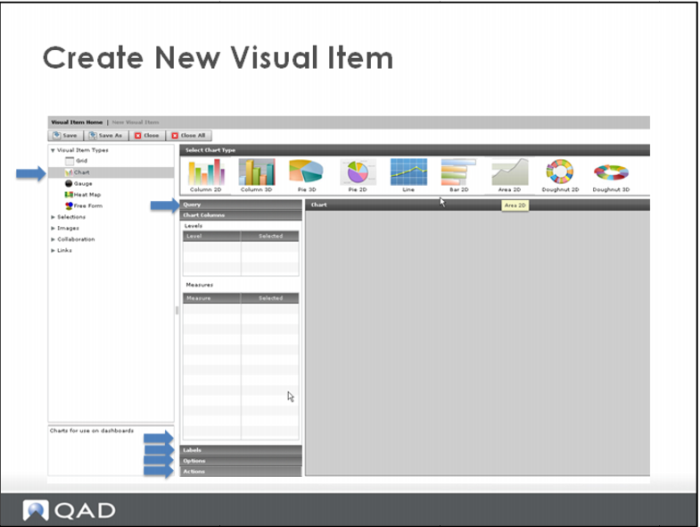
The first step to create a new visual item is to select the Visual Item Type.
Based on the Visual Item type chosen, various sections are displayed in the middle window. To expand the section, click the section heading.
For charts, these sections include:
- Query
- Chart colulmn
- Labels
- Options
- Actions