Connecting to the database
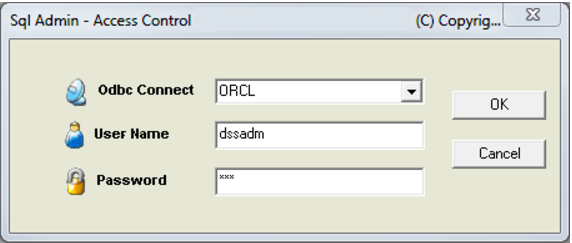
Select the Sql Admin entry from the QAD program library in the standard Windows start/programs menu. The Sql Admin window will be displayed but with all toolbar buttons grayed out except for the 'New' window button. Either click this button or select the File/New menu option to initiate a database connection and logon. A dialog as follows will be displayed:
Select the desired ODBC source from the 'ODBC Connect' drop down list. Enter a valid database username and password for the specified connection. Once the form is completed click the OK button to logon to the database.