Parameters and Options
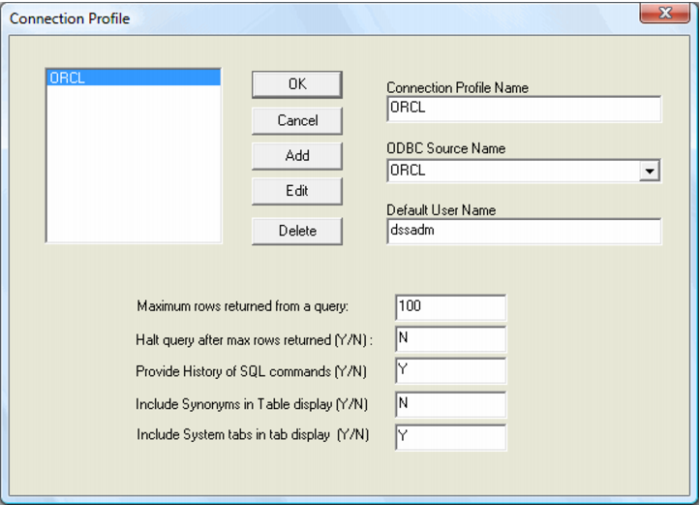
When the new connection button is pressed Sql Admin will display the logon screen. By default this screen has all fields blank. It is possible to set a default connection by selecting the Tools/Options menu option. When this menu option is chosen the following screen will appear.
Listed in the top left hand box are all the currently defined connections. Double clicking on one of the listed connections makes that connection the default connection. A connection can be deleted by selecting the delete button when a connection is highlighted, or edited by selecting the Edit button.