Table Tree
The table tree is displayed in the top right hand pane. This chapter explains how to populate and refresh this tree. It also shows how to use shortcuts and menu options to issue queries relevant to the elements of the tree.
 TIP
TIP: Double clicking on a table name displays the tables' data in the results pane.
Table View Legend
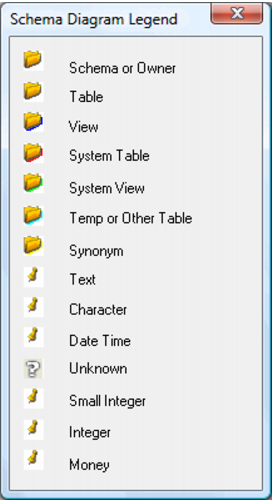
The contents of the right hand table pane are a Windows tree structure containing the users, tables, views etc. of the database to which we are connected. The following screen shot shows the legend for the icons that appear in this tree structure.
Table Display Options
A number of menu options exist to refresh or display the table tree. These options are covered in the sections below.