Toolbar
The scheduler toolbar is shown below:
The new job button invokes the dialog to create a new scheduled job. The builder window button switches back to the main builder window. The auto refresh button, when depressed, will result in a refresh of the current (right pane) display every 10 seconds. Click the button again to stop the auto refresh. The refresh interval can be adjusted through the menu option Auto/Refresh interval. Quick access to different categories of jobs are also available via the toolbar.
Diagrammatic window
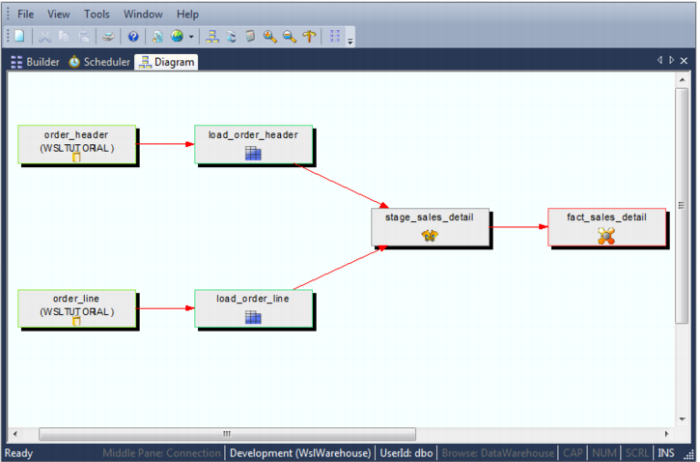
The Diagrammatic view window is used to display the tables of the data warehouse in diagrammatic form. For fact and aggregate tables a star schema diagram can be produced. For all table types a track back or track forward diagram can be displayed showing the various sources or targets of information that went into the makeup of the chosen table. The following is an example of a track back diagram in the Diagrammatic window: