Color Schemes
Set the primary and background color schemes for the current repository.
Settings - Language Options
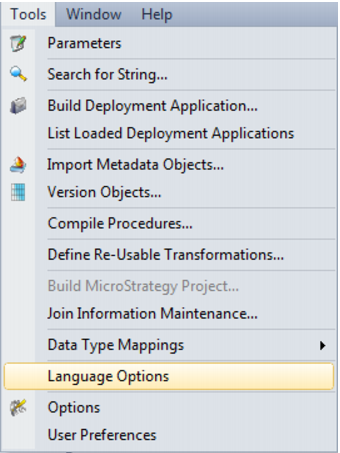
Select Language Options from the Tools menu.
Languages can be defined via the Tools/Language Options menu. This option is only available for SQL Server databases and applies only to dimension, fact and OLAP objects. A blank entry means that no languages have been defined and thus no translations can be saved.
To add a language:
Select the 'Add Language' button; enter the new language ID and select OK.
To delete a language:
First select the language from the drop down list and then select the 'Delete Language' button.
Note: All translations for the selected language will also be deleted.