Connection types
Connections can be set up via the following methods:
Connection to the Data Warehouse
Connections to Another Database
ODBC Based Connections
Connections to UNIX
Connections to Windows
Connections to Analysis Services
Browsing a Connection
The tables or files associated with a connection are displayed one of the following ways:
Selecting the Browse/Data warehouse menu option nominally for the data warehouse connection.
Selecting the Browse/Source Tables menu option nominally for a source system connection.
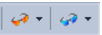
Clicking on one of the two browser buttons on the toolbar:
The orange button is nominally for the data warehouse connection and the blue button is nominally for a source system connection.
Clicking on one of the browse source system buttons in the right pane:
Each button remembers the last connection it browsed, so in this way one button can be used for the Data Warehouse and one for a source system. A click on one of the buttons will display the source tables without first displaying the source browser dialog box. To change the connection click the small black down arrow next to the glasses to access the source browser dialog box. The current connection being browsed is shown in the status bar at the bottom right of the screen.
 TIP
TIP: When browsing to a connection, by default QAD Data Warehouse Designer will show a schema name. If you want to see all schemas, blank out the default schema name. You can also enter multiple schemas, separated by commas.