Connection Failures
In the event that a telnet connection cannot be established to the UNIX host the following result box will normally appear after approximately 30 seconds.
Attempt the connection again, and using the Window menu option select the Telnet window. This will display the login session, and should provide an insight as to why the connection is not being completed.
If the situation cannot be resolved a telnet trace can be acquired. Select the menu option Tools/Options and click on the check box 'Trace all Unix sessions'. Then try to do the connection or browse again. A log file called WslMedTelnet.log will be created in the QAD program directory. Edit the log file and ensure there are no passwords visible and then send to http://support.qad.com
Closing the Connection
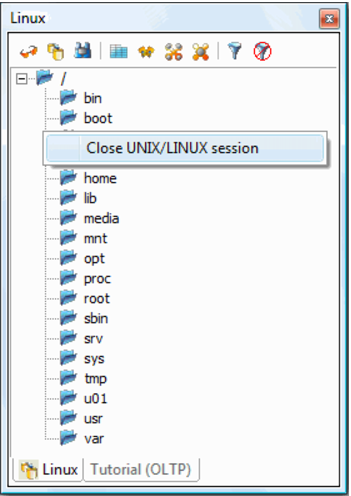
To close the collection, right click in the browser pane and choose Close UNIX/LINUX session:
Windows
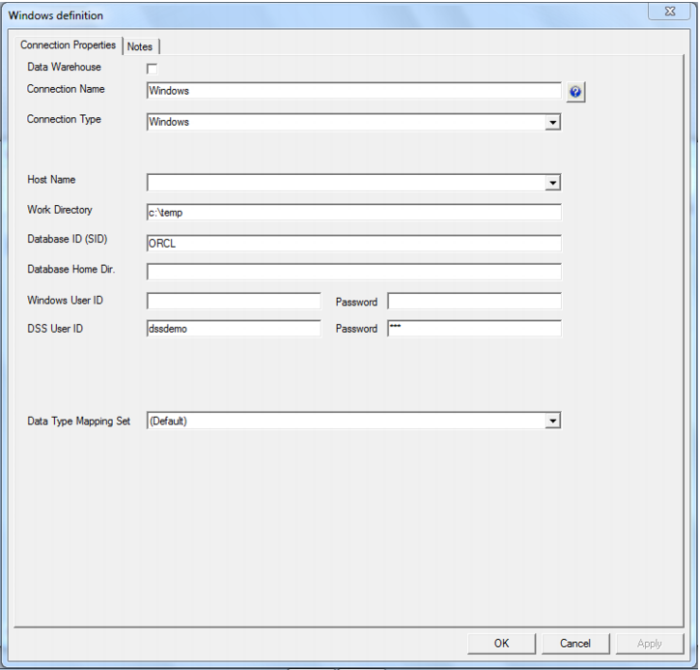
This connection is back to the PC that you are working on, or to a host Windows PC. From Windows you can only do flat file loads.