Load Table Decision Tree
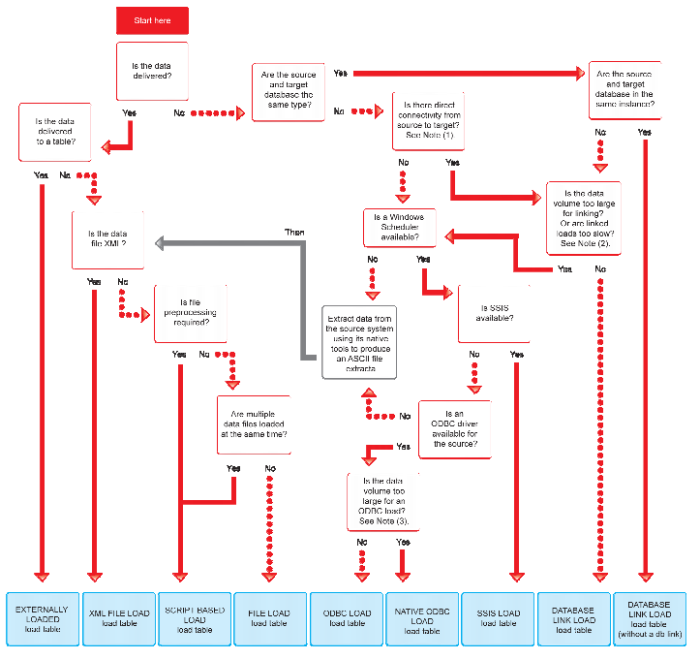
The following decision tree can be used when selecting the best type of load table:
Load Drag and Drop
The simplest way to create a load table is to use the drag and drop functionality of QAD Data Warehouse Designer. Drag and drop can be used for all connection types and the process is the same in all cases.
1 Browse to the source system connection (Browse/Source Tables).
2 Create a drop target by double clicking on the Load Table object group in the left pane. The middle pane should have a column heading of 'Load Table Name' for the leftmost column.
3 Select a table or file in the right pane and drag it into the middle pane. Drop the table or file anywhere in the middle pane.
4 Answer the resulting prompts to create the load table. See the tutorials for examples on how to create load tables using drag and drop.
Note: When creating a load table in QAD Data Warehouse Designer by dragging over a source table, Data Warehouse Designer will read the structure of the table on the source system and attempt to construct an equivalent load table in the data warehouse. There are occasions when the load table creation will fail due to incompatible data types in the target data warehouse. The remedy is to change the data types of the particular attributes which are causing the load failure. Once corrected the load table should create. It is important that the table load is tested to ensure that data can be INSERTED into the load table from the source table. If the load fails then the data may need to be explicitly converted to the destination data type using a column transformation that is executed during the load (see
Load Table Transformations (on page
278)). Incompatible data types that cause load table creation errors are typically caused by:
1. User defined data types in the source database.
2. Incorrect data type mapping during load table definition in QAD Data Warehouse Designer.
3. Data types that cannot be inserted into (eg identity columns on SQL Server)
Data Type Mappings
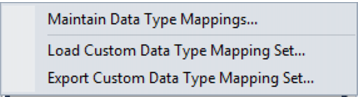
In Tools/Data Type Mappings, the first menu option will allow you to maintain the data type mappings.
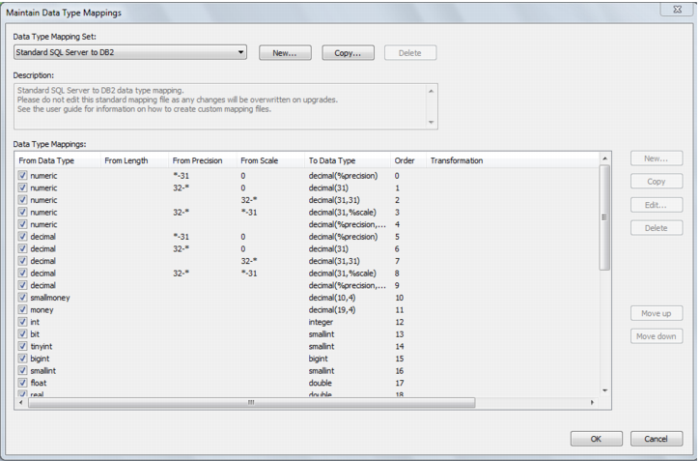
The user interface for maintaining data type mappings is as follows: