Flat file loads
Flat file loads can be performed from either a Windows or UNIX connection. As with all other load types it is easier to use the drag and drop functionality to create the load table. The drag and drop process for flat files is as follows:
1 Browse to the directory and file via the appropriate
Connections (on page
89).
2 Double click the Load Table object in the left pane to create a drop target.
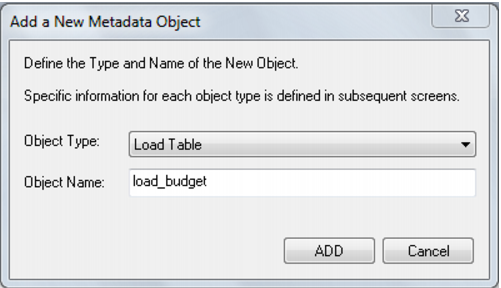
3 Drag the file from the right pane and drop it into the middle pane. The following dialog appears:
4 Click the
Add button. The following dialog appears.
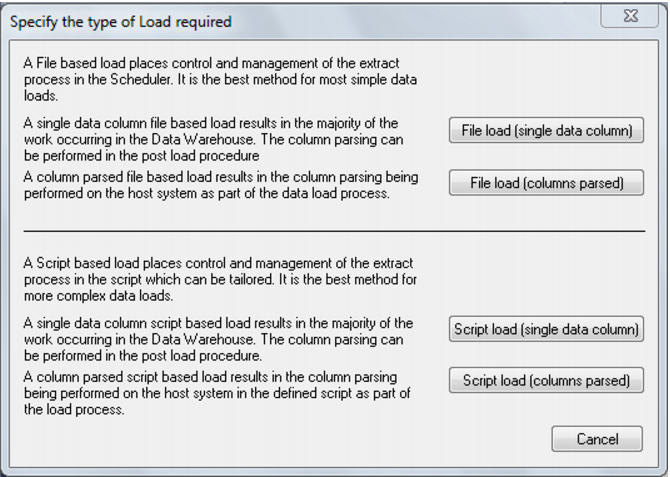
There are four options on this screen (buttons at right).
The first two options result in a 'File based load table' where the bulk of the load management is handled by the scheduler.
If you select either of the last two options, then QAD Data Warehouse Designer will generate a host script and the load table will be a 'Script based load'. This host script is executed by the scheduler to effect the load.