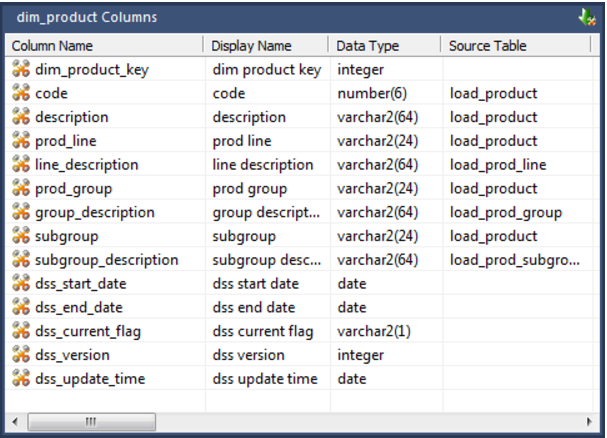
Column name | description |
dim_product_key | The unique identifier (artificial key) for the dimension. This key is used in the joins to the fact table. It is generated via a sequence (Oracle) or identity (SQL Server) associated with the table, except for the date dimension where it has the form YYYYMMDD |
dss_start_date | Used for slowly changing dimensions. This column provides a date time stamp when the dimension record came into existence. It is used to ascertain which dimension record should be used when multiple are available. |
dss_end_date | Used for slowly changing dimensions. This column provides a date time stamp when the dimension record ceased to be the current record. It is used to ascertain which dimension record should be used when multiple are available. |
dss_current_flag | Used for slowly changing dimensions. This flag identifies the current record where multiple versions exist. |
dss_source_system_key | Added to support dimensions that cannot be fully conformed, and the inclusion of subsequent source systems. See the ancillary settings section for more details. |
dss_version | Used for slowly changing dimensions. This column contains the version number of a dimension record. Numbered from 1 upwards with the highest number being the latest or current version. It forms part of the unique constraint for the business key of a slowly changing dimension. |
dss_update_time | Indicates when the record was last updated in the data warehouse. |
dss_create_time | Indicates when the record was first created in the data warehouse |