Business Key definition
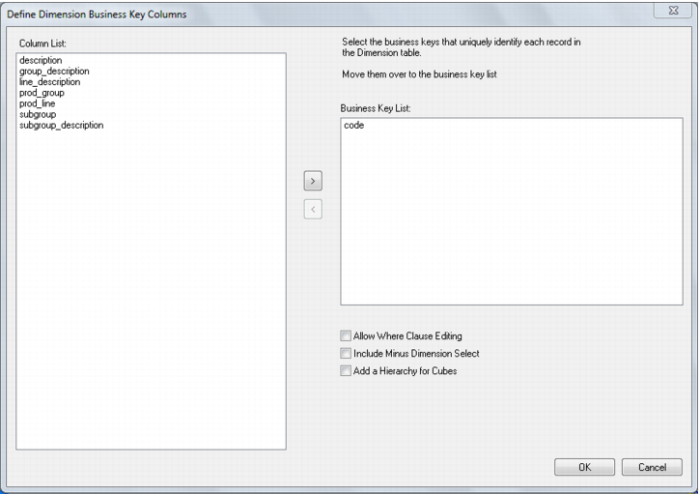
A dialog will appear asking for the business key that will uniquely identify each dimension record. The source table from which the dimension is derived would normally have some form of unique constraint applied. In most cases this will be the business key. In the example below the product code is selected as the business key.
A business key can be made up of multiple columns, but it must provide a unique identifier. Where multiple columns uniquely and separately identify the dimension, choose one to act as the primary business key. For example a source table may have a unique constraint on both a product code and a product description. Therefore the description as well as the code must be unique. It is of course possible to combine the two columns, but the normal practice would be to choose the code as the business key.
None of the columns chosen as the business key should ever contain a NULL value. See the note at the start of this chapter.
The 'Include minus dimension select' check box (available in SQL Server as Not Exists Select) will add additional code to the main select statement. This code will exclude every row in the source table that has not changed in the dimension table and can result in faster execution of the update procedure for large dimensions.
The 'Add a hierarchy for cubes' check box will produce another dialog that allows the definition of a simple hierarchy structure. This is useful if the hierarchy of the dimension is known and the dimension will be used in the creation of Analysis services cubes. Hierarchies may be defined now or later when required. They may also be defined or modified after the dimension has been created.