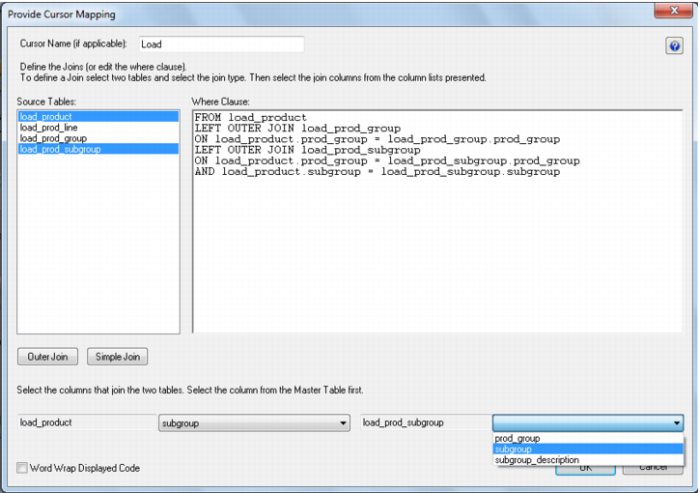
Joining multiple source tables
If multiple source tables were used to build the dimension then an option would have appeared in an earlier dialog to choose between a join or a lookup. If 'Join' was chosen then a dialog box will appear prompting for the joins.
Two tables are selected in the left hand box and one of the join buttons clicked. The columns for the two tables then appear at the bottom of the dialog and one column is selected from each drop down list to effect the join between the selected tables. In the example above the load_product and load_prod_subgroup tables are joined by two columns namely prod_group and subgroup. In such a case two joins are actioned for these two tables, so that both columns can be selected.