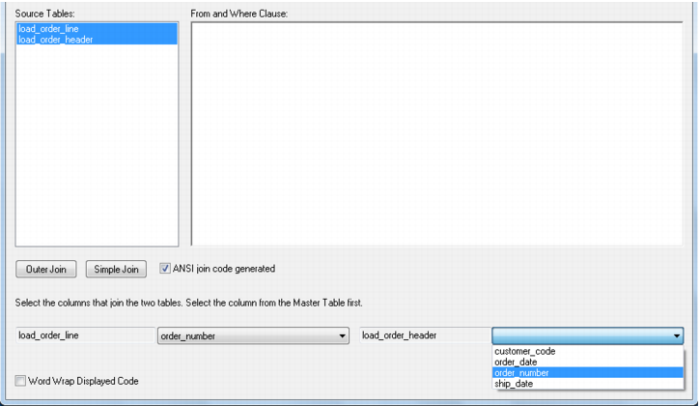
Source table joins
If multiple source tables are detected then a dialog will appear to allow the definition of the joins between the various tables.
Note: Joins to dimension tables are not defined in this step. These joins only relate to the source tables.
The joining of the tables will provide either the data for a cursor loop, or part of the construct of the set based update in the update procedure. If a cursor based procedure is being generated then the default name for the cursor will be 'Load' unless altered. If a set based procedure then the cursor name is ignored.
Only two tables may be joined at a time. To join two tables select the two tables in the left hand box and click either the outer join or simple join button. Column lists for both tables will appear at the bottom of the dialog box. Select the column (or one of the columns) that allows the two tables to be joined. If an outer join is being used, the column for the master table must be chosen first. If there are multiple columns joining two tables then this action must be repeated for each column. Continue to perform all joins between all tables. The Oracle example below only has two tables with one join column so is a relatively simple case. For SQL Server an additional option is available to allow either an ANSI standard join or a 'Where clause' based join. In DB2, only a from clause join can be generated. The ANSI standard join should be chosen in most situations. See the example screen in the following section.