Dimension Joins
For each dimension key a dialog will now appear asking for the business key from the stage table that matches the business key for the dimension.
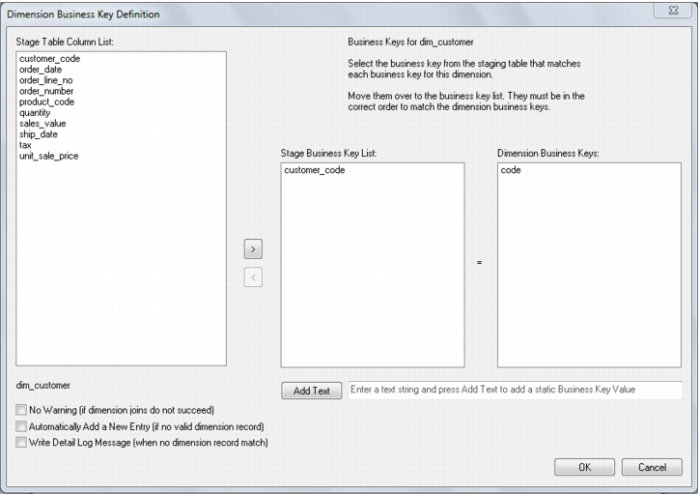
In the example below we are asked for the stage table business key for the customer dimension. The dimension name is shown both on the first prompt line and at the lower left hand side of the dialog box. The customer dimension has a unique business key named 'code'. We must provide the corresponding business key from the staging table. In the case of our example this is the customer_code column.
Note: The 'Add Text' button and the associated message and edit box are only shown if the user possesses a full license, thus enabling the advanced procedure build options. When the 'Add Text' button is clicked any data in the edit box to the right of the button is placed in the stage table column list. In this way a number or string can be assigned as part or all of a dimension join.
Click the OK button after the correct business key has been entered. If the business key does not exist and will be derived from another dimension or from some form of lookup then enter any column and edit the procedure once produced.