Staging
>
Slowly changing dimension information
Slowly changing dimension information
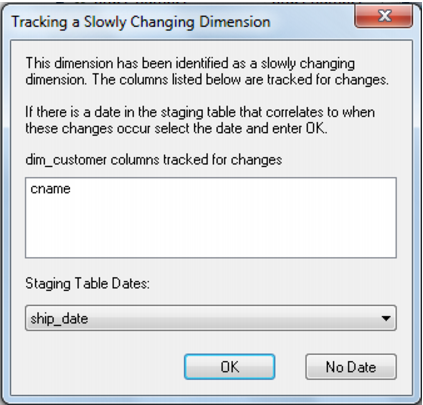
If the dimension being joined was defined as a slowly changing dimension, then an additional dialog will appear asking for a date in the stage table that allows the coordination of the dimension record changes. Select the date and click OK or click 'No Date' if a date does not apply.
For Example:
Say we have defined the product_name as a slowly changing column. This implies we want to create a new dimensional record whenever a product name is changed even though the SKU for the product remains the same.
Customer A orders 100 units of product SKU 123 on the 1st of the month and is shipped the order 3 days later on the 4th of the month.
The product has a name change on the 5th of the month. We may therefore decide that any of the product shipped before the 5th of the month were shipped under the old name and any product shipped on or after the 5th has the new product name.
If the example order shown above is not processed in the data warehouse until the 7th of the month we need to ensure it acquires the correct version of its product dimension record. We would therefore assign the 'Ship date' as the date that corresponds to the correct dimension record.
The product dimension record would therefore be assigned as the record in force on the 4th day of the month or more specifically the old product name.