Change Detection and History Tables
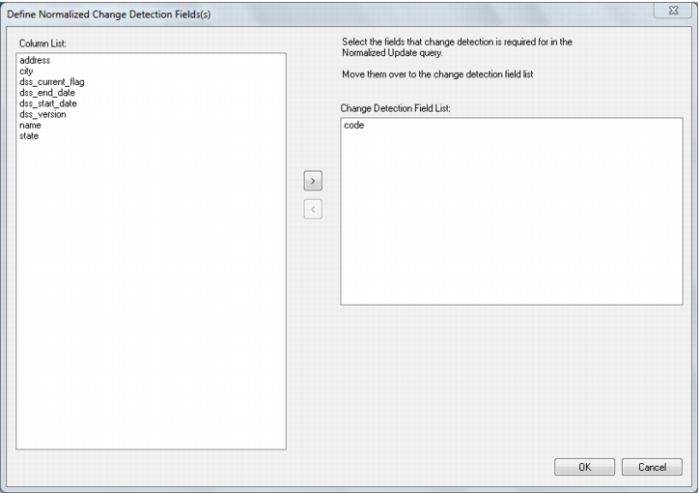
If the normalized table was defined as a history table then the following additional dialogs will appear. Normalized history tables are like slowly changing dimensions. The first dialog requests the selection of the columns to be managed as change detection columns. Select the required columns and click OK to proceed. In the example below the customer name is to be managed as a change detection column.
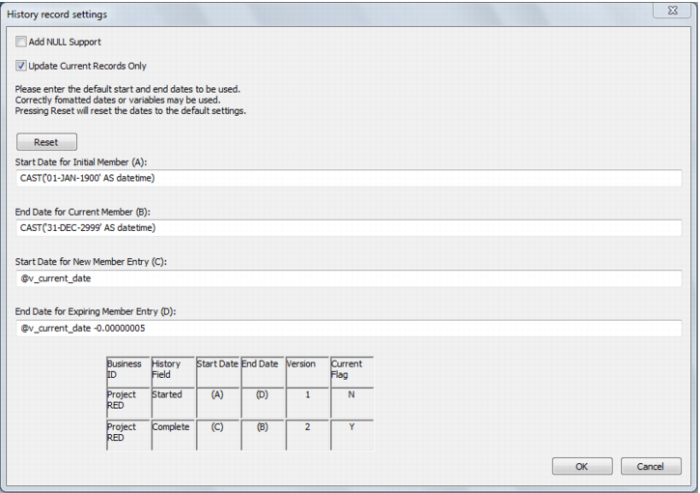
The following dialog will appear if one or more columns are chosen as change detection columns and if the user possesses a full license, enabling the additional procedure build options.
If one or more columns are chosen as change detection columns but the user only possesses a trial license, thus disabling the additional procedure build options, then the default values shown below will be used and the dialog will not be displayed.
When completed, click OK to continue.