Displaying Partitions
Partitions can be displayed or added while viewing measure groups in the middle pane. Right-click on a measure group and select the appropriate option.
OLAP Cube Measure Group Partitions
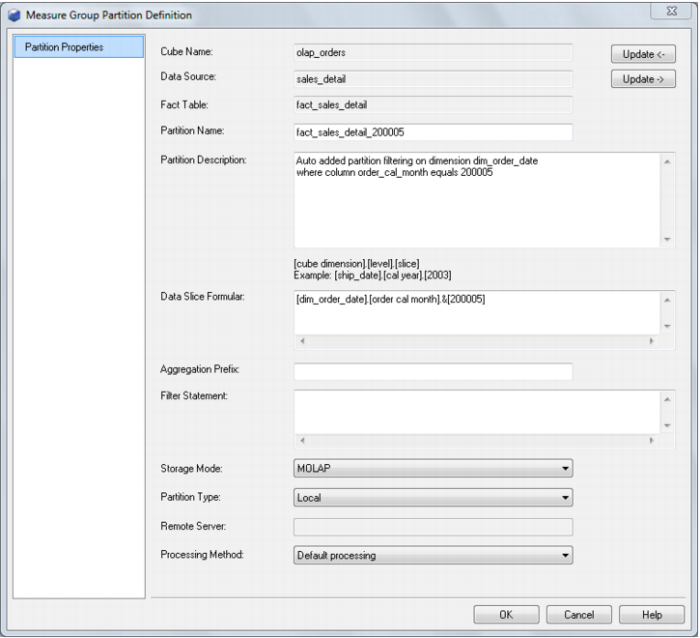
The Measure Group Partition's properties are shown by choosing the Properties option of the right mouse menu of the Measure Group Partition. The properties of the partitions that are associated with a measure group are described below.