Wrapper procedures
In some cases multiple procedures will be required to update a table. In such cases it is best to create a top level procedure that is seen by the scheduler as the 'Update' procedure. This procedure can in turn call other procedures.
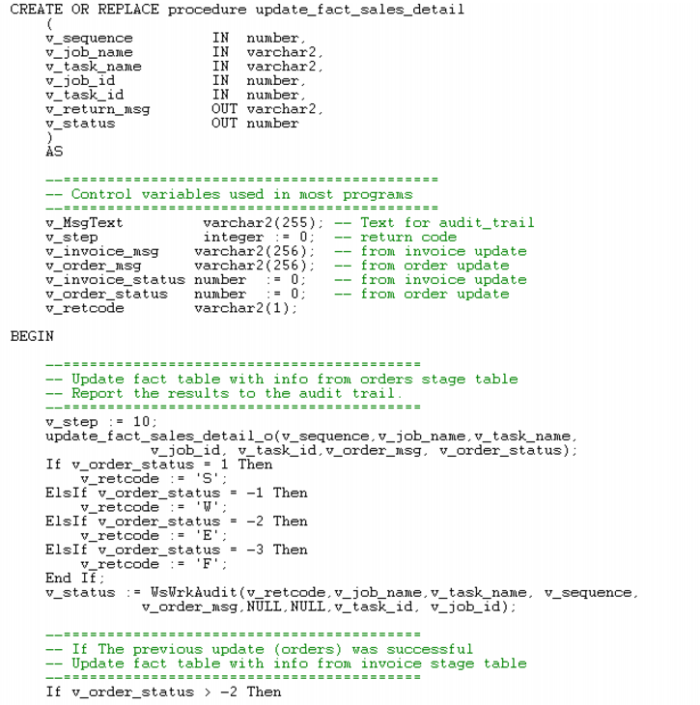
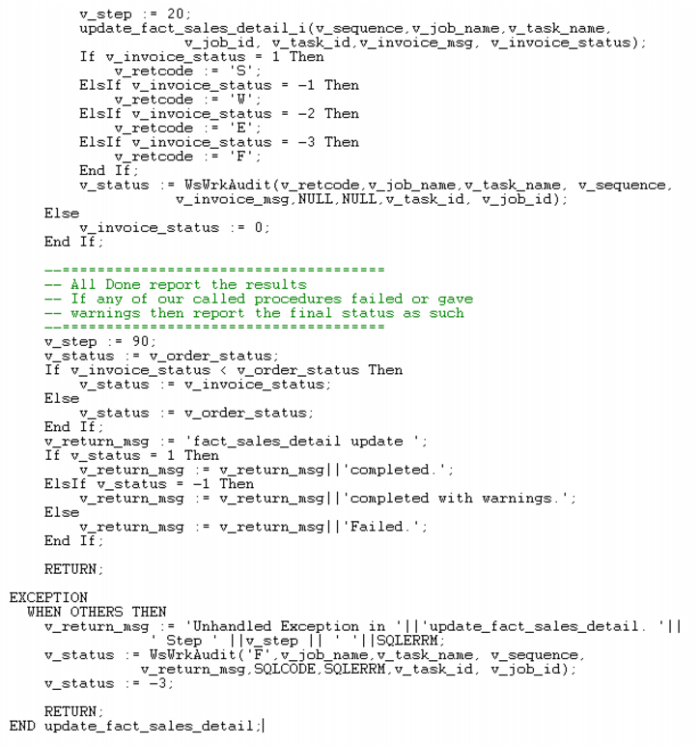
For example: We may have a fact table that is updated from multiple stage tables. The Oracle wrapper procedure may look as follows:
This Oracle wrapper procedure calls two child procedures, one for each stage table that is to update the fact table. A status is reported back to the audit trail for each stage and an overall status ascertained for the fact table update.
Procedure Editing
QAD Data Warehouse Designer includes a procedure editor which allows the maintenance of the various procedures, functions and packages within the data warehouse. The editor is invoked by double clicking on a procedure name in the left pane or by selecting the 'Edit the procedure' pop-up menu option when a right mouse menu is activated on the procedure name.
A procedure can be compiled by selecting the Compile/Compile menu option. See the section on compiling procedures for more information.
This section will discuss some of the features of the procedure editor.
In the following sections reference is made to a selected block of text. A selected block of text is a normal windows selection where the text in question is highlighted. Normally achieved by holding down the left mouse button and moving the cursor.