Viewing other procedural code
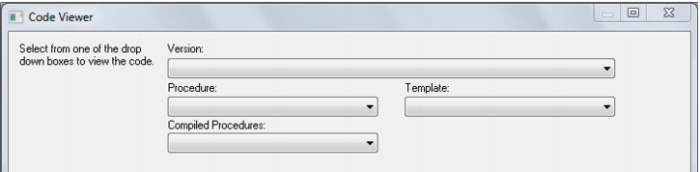
During the editing process it is possible to pop up a window containing other procedural code. This window allows cut and paste operations. In such a way it can be used as a work area or as a source of code. Select the Tools/View Procedure or Template menu option to bring the viewer window up. A dialog will appear as follows:
There are a number of drop down list boxes to choose from. Once an item is selected the viewer loads the code and moves to the right hand side of the edit window. The various options are:
Version: A previously saved version of this procedure. The description and time are shown.
Procedure: Some other procedure stored within the QAD metadata.
Template: A template procedure as defined in the QAD metadata.
Compiled procedure: One of the currently compiled procedures existing in the database.
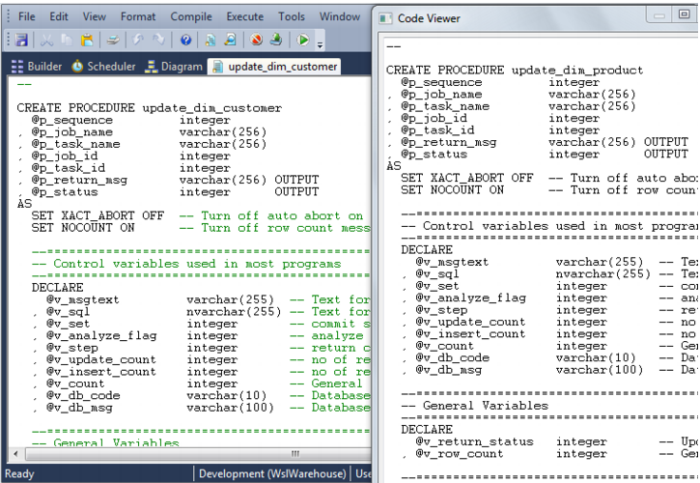
Once an item is chosen the viewer appears on the right hand side of the edit window. The viewer or the main edit window can receive the focus by clicking the mouse within the appropriate window. Code can be cut from one window and pasted into the other. Any changes made in the viewer window cannot be saved. An example of an active view window is as follows:
Procedure Loading and Saving
Procedures are normally stored in the QAD Data Warehouse Designer metadata tables. When a procedure is opened within QAD Data Warehouse Designer then the data is retrieved from the meta tables. Likewise when the procedure is saved it overwrites the existing data in the meta tables.
When a procedure is compiled it is also written to the database system tables. In the case of Oracle a compiled procedure can be viewed via the 'User_source' view (e.g. select text from user_source where name = 'MY_PROCEDURE' order by line;). For SQL Server the command is sp_helptext 'MY_PROCEDURE'.