Versions
Multiple versions of a procedure can be stored. Once a version is created that version may be read but may not be updated. Only the current procedure can be edited. There are a number of ways of creating a version of a procedure. These are:
1 By setting the Auto-Version before Procedure Compile under Tools/Options/Versioning. If set to true, a new version of a procedure will be created whenever the procedure is compiled.
2 The Procedure Editor menu option File/Save and Version will save a procedure and create a version at the same time.
3 By selecting the Version Control/New Version menu option from the pop-up menu when positioned on a procedure when in the main Builder window.
4 By selecting the Tools/Version All menu option.
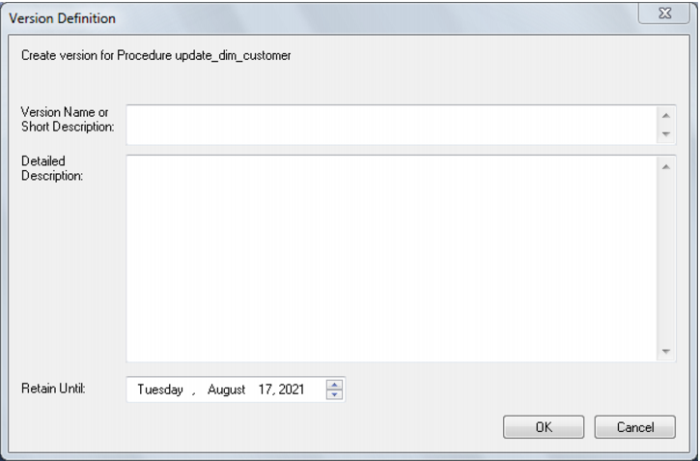
When a version is created via method (2) or (3) above the following screen will appear, to allow the definition of the version. If an auto version is created then the person creating the version is recorded along with the reason for the version. (e.g. Version on compile, Version on procedure delete)
The version name/description appears when the versions are subsequently browsed. The Retain until date is set ten years in the future by default. The automated deletion of versions is not supported.
Procedure Comparisons
A procedure can be compared to either an earlier version, or to the currently running code as compiled/stored in the database. The menu option Tools/compare to compiled source allows the comparison of the procedure being edited with the code currently compiled and running in the database. If a viewer window is open (see the procedure editing section) then the Tools/compare to viewer menu option will compare the contents of the viewer window with the current code. Therefore to compare against an older version, we first load the viewer window with the older version and perform a 'compare to viewer'.
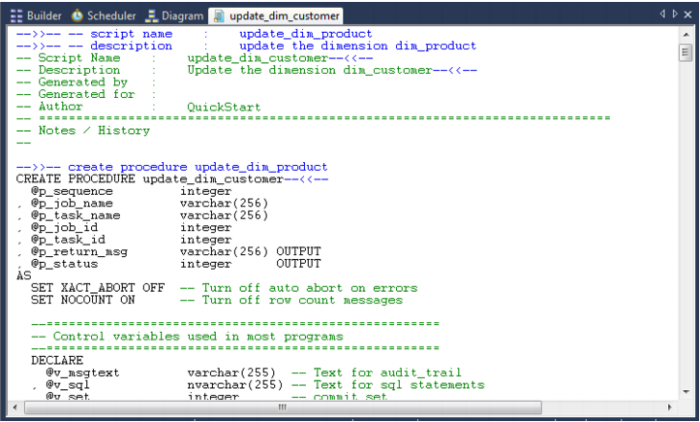
The comparison will highlight the differences, as shown in the example below:
In this Oracle example the line v_step := 100; has been removed from the current code in the edit window and the remaining three lines have been inserted.
Once the comparison has been completed you can either remove the compare comments or accept the compare changes. The menu option Tools/Remove compare comments will remove the added blue comments and code. The menu option Tools/Accept compare changes will implement the changes highlighted. For the above example the line 'v_step := 100;' would be added and the following three lines deleted.
Procedure Compilation
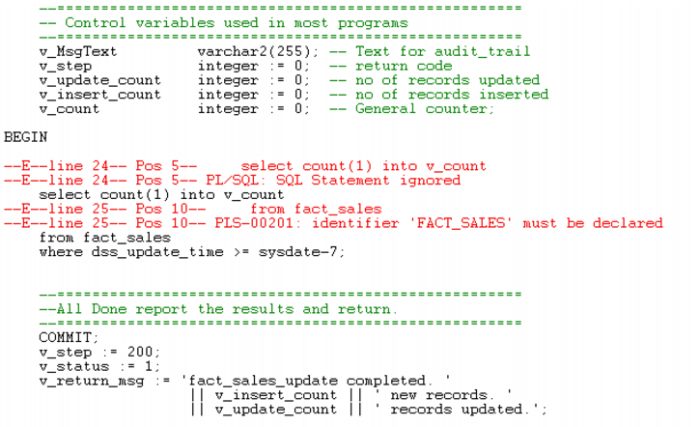
From within the procedure editor a procedure can be compiled by selecting the menu option Compile/Compile or by pressing the compile icon. If the procedure compiles successfully a dialog box will appear notifying of a successful compile. If the compile fails then error message comments will be inserted into the procedure code. In the following example the error messages are in red and begin with --E--.
Error comments will be inserted at each error point. A compile will delete any previous error comments. Error comments can also be removed through the menu option Compile/Delete Error messages.
Note: In some instances the error comments may not be positioned on the correct line. This can occur as the result of one or more procedure lines being wrapped. Therefore, ensure the procedure editor window is maximized when dealing with compile errors.
If an Oracle procedure fails to compile then it is invalidated in the database, and will not run until successfully compiled.
Procedure Running
Only procedures that conform to the QAD scheduler syntax can be executed from within the procedure editor. Select the Execute/Execute menu option or click the execute icon to run the procedure. A procedure must have been compiled in order to run.
The results of the procedure will be displayed in a dialog box. The result code and result message will be displayed as well as any additional messages.
Procedure Syntax
The procedures managed by the QAD scheduler require the following standards. If a function or procedure is being developed that is not called directly by the scheduler then it does not need to conform with this standard. If however such a procedure or function wants to log messages to the audit or error logs then it will need the input parameters included in its parameter list.