Windows Example for Oracle:
In the following example the first line '@echo off' prevents unwanted information from being reported to standard out. A Sql*loader script file is built up (echo statements). The sqlldr command is then executed with the 'silent-header,feedback' option once again to prevent unwanted output.
@echo off
echo load data >c:\temp\wsl1.ctl
echo infile 'C:\Temp\budget.txt' >>c:\temp\wsl1.ctl
echo badfile 'c:\temp\wsl1.bad' >>c:\temp\wsl1.ctl
echo into table load_budget_txt >>c:\temp\wsl1.ctl
echo fields terminated by "," >>c:\temp\wsl1.ctl
echo optionally enclosed by '^"' >>c:\temp\wsl1.ctl
echo trailing nullcols >>c:\temp\wsl1.ctl
echo ( >>c:\temp\wsl1.ctl
echo product_code,>>c:\temp\wsl1.ctl
echo customer_code,>>c:\temp\wsl1.ctl
echo budget_quantity,>>c:\temp\wsl1.ctl
echo budget_sales_value,>>c:\temp\wsl1.ctl
echo budget_date date 'dd-mon-yyyy'>>c:\temp\wsl1.ctl
echo ) >>c:\temp\wsl1.ctl
sqlldr userid=dssadm/wsl@ORCL control=c:\temp\wsl1.ctl skip=1 silent=header,feedback log=c:\temp\wsl1.log
goto answer%errorlevel%
:answer0
echo 1
echo Load completed successfully
type c:\temp\wsl1.log >&2
exit
:answer2
echo -1
echo Not all rows loaded. See error trail
type c:\temp\wsl1.log >&2
exit
:answer1
echo -2
echo SQL*Loader execution exited with EX_FAIL, see error trail
type c:\temp\wsl1.log >&2
exit
:answer3
echo -3
echo SQL*Loader execution encountered a fatal error
type c:\temp\wsl1.log >&2
exit
Calling a Batch File from a Script
Below is an example Data Warehouse Designer host script which calls a batch file:
@ECHO OFF
SETLOCAL ENABLEDELAYEDEXPANSION
SETLOCAL ENABLEEXTENSIONS
CALL c:\temp\MyBatchFile.bat > c:\temp\MyBatchFile.log 2>&1
IF %ERRORLEVEL% EQU 0 GOTO LABEL_OKAY
ECHO -2
ECHO Batch file returned an error code of %ERRORLEVEL%
TYPE c:\temp\MyBatchFile.log
EXIT
:LABEL_OKAY
ECHO 1
ECHO Batch file completed successfully
TYPE c:\temp\MyBatchFile.log
Where "c:\temp\MyBatchFile.bat" contains this:
ECHO Hello
SET ERRORLEVEL=0
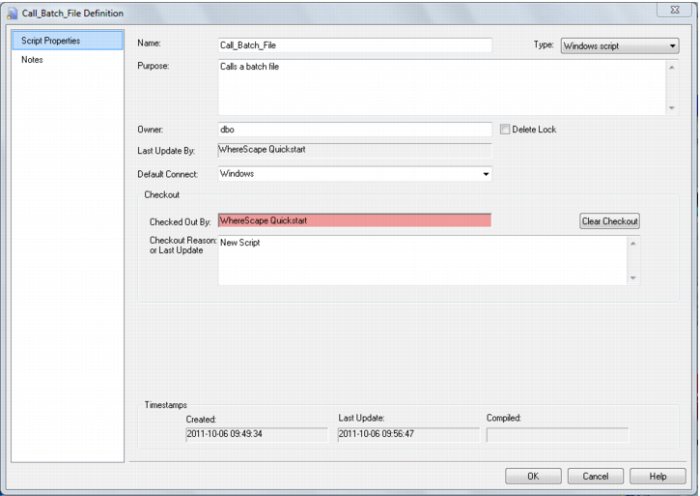
Create the Host Script in Data Warehouse Designer.
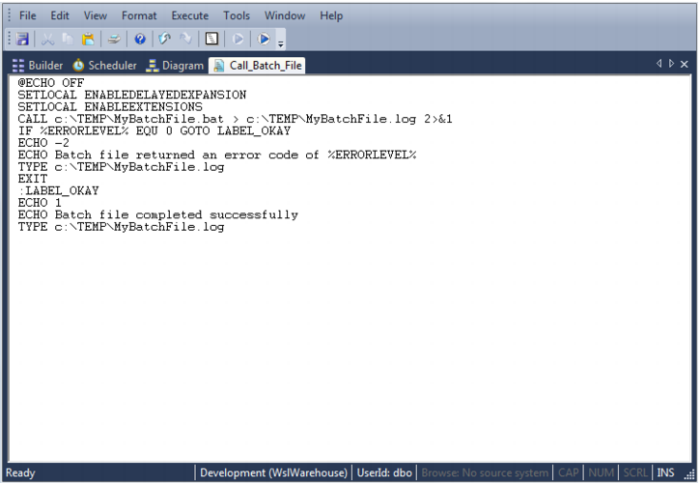
Edit the Script and enter the following:
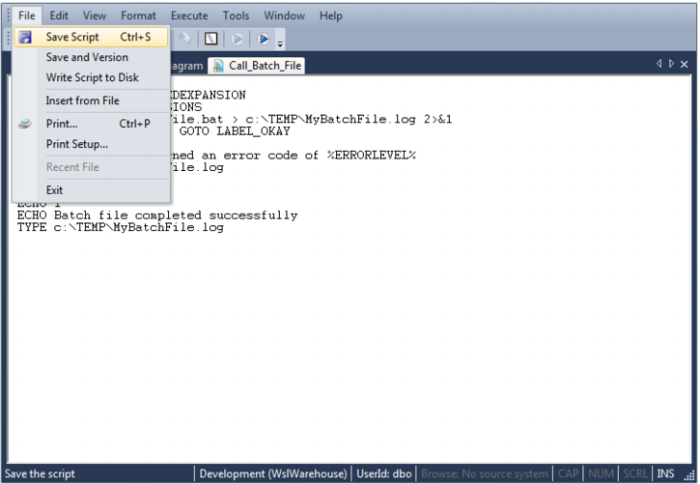
Save the Script.
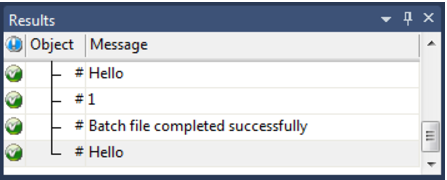
When the script is executed, you will see the following results:
Templates
Templates serve two main purposes. Firstly they provide a structure for the building of procedures and scripts. Secondly they provide example code to illustrate how to handle a specific application problem.
A simple template editor is provided to allow the maintenance of templates. Templates are normally either procedure or host script examples. The normal practice is to develop the template within either the procedure or script editor and then paste it into the template for storage.