Indexes
Indexes may exist on any table defined in QAD Data Warehouse Designer. By default QAD Data Warehouse Designer will auto-generate a number of indexes during the drag and drop process and when building procedures. These indexes can be altered or deleted. New indexes can be created as desired.
Note: The maintenance of the indexes is performed as part of the normal scheduler processing.
In the left pane right click on a table to:
Display indexes
Add indexes
Index Definition
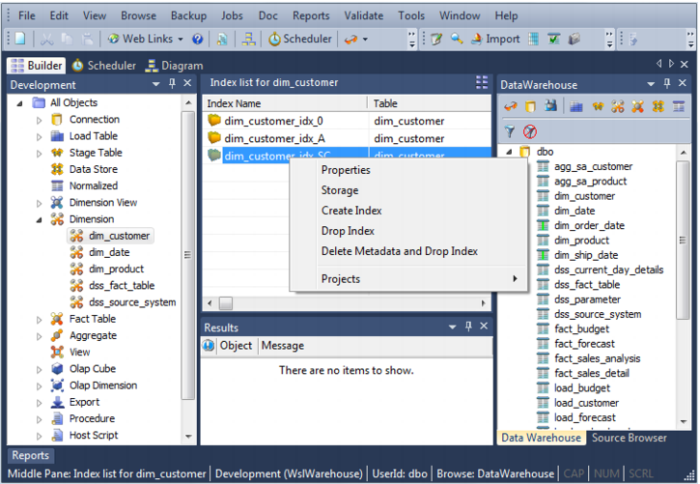
By right clicking on a table in the left pane and selecting Display Indexes the middle pane will display the indexes for that table.
In the middle pane, right click on an index and the following options are available:
Properties
Storage
Create Index
Drop Index
Delete Metadata and Drop Index
Projects