Create documentation
To create the documentation for the components of the data warehouse, select Doc from the builder menu bar, then Create Documentation.
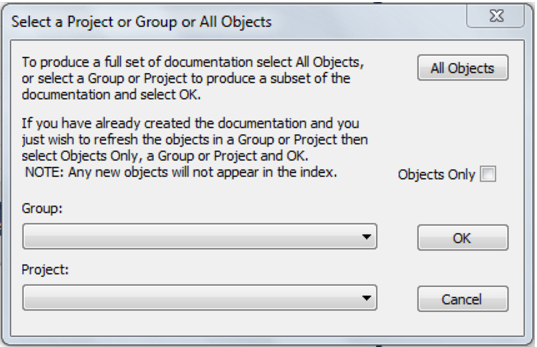
If the repository has projects or groups in use then the following dialog will appear to allow the selection of a specific group or project. The default is all objects in the repository.
A file dialog will appear next. Select a file path (directory) under which to save the HTML files that will be produced.
A style sheet called mainstyle.css is created if it does not exist. If this style sheet exists then it is not overwritten. The style sheet can therefore be modified to match an existing intranet standard.
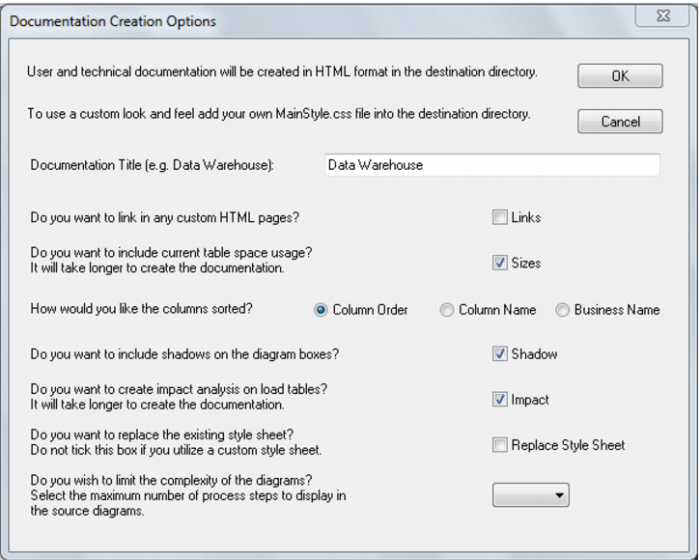
The next screen allows for the inclusion of a banner and user defined links. It also provides some build options:
The size check box instructs the documentation generator to examine the size of all tables and indexes in the database. This process may be slow in some situations, thus should normally be used only for final documentation.
The sorted check box sorts the columns within the tables into alphabetical order. By default the columns are in the order in which they appear within the tables.