DB2 Windows Restore
Select the menu option Backup/Restore metadata (from DB2 export) to begin the restore process.
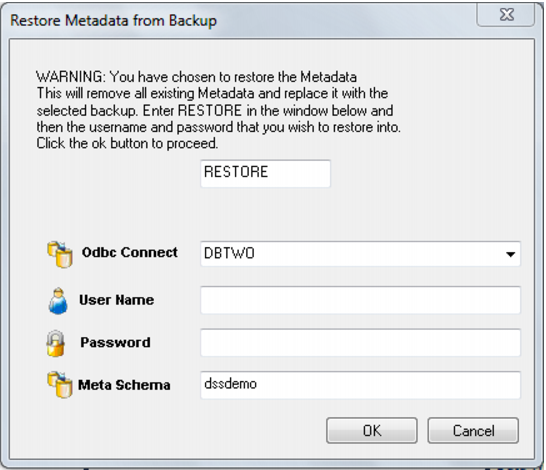
A dialog box will appear. The word RESTORE needs to be entered with the username and password for DB2. If using a trusted connection to DB2, the username and password should be left blank. The metadata schema should also be entered. The schema does not have to be that of the current metadata repository, but it must contain a valid repository.
Once the OK button is clicked a new dialog box will appear asking for a selection of the export file. Browse to the directory where the export is located and select the export file. Once the export file is selected the import will begin. A dialog box will appear to show the results of the import.
Unloading Metadata
QAD Data Warehouse Designer provides a generic unload utility for backing up the metadata. The advantage of this backup is that it is database, and database version independent. It can be used to backup the metadata regardless of the version of the database client running on the PC. It is possible to transport the metadata from one database platform to another using unload and load. For example, the metadata from a SQL Server unload can be loaded into an Oracle database.
After performing a cross platform unload and load:
Transformations must be altered manually to use the correct syntax for the new database.
Generated procedures regenerated.
Modified and custom procedures must be changed to use the procedure language of the new database platform.