How QAD improves internal communications
Campaigns by Contact
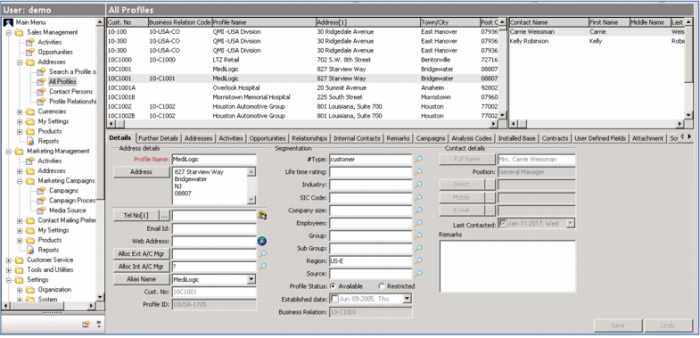
Circle back to the Sales Force Automation functions to see how Marketing Campaigns appear on the Contact screens that the sales force will typically access. For this contact, notice the Campaign tab. When you click this, you see all of the Campaigns involving this contact. As a salesperson, you may or may not be involved in these – for example, there might be a new customer telemarketing program they are included in, a mailing campaign, or even a social event. However, by keeping all this information centrally, you will always be aware of all of this before you make contact with you prospect or customer. Not only will you sound more knowledgeable, there will be no surprises!
Demo
Key Points
• Sales Force looks at Contact Profiles
o All campaigns listed - Sales and marketing, Telemarketing, Mailings, Email blasts; Hospitality events