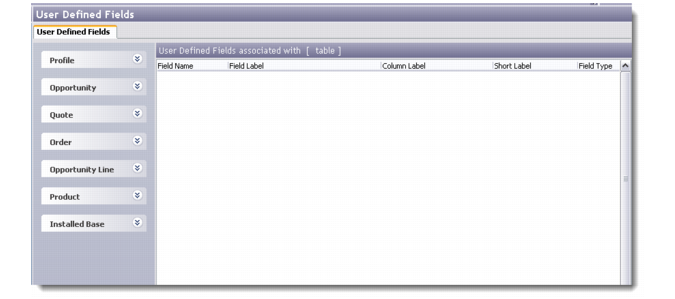
User Defined Fields
You can use the user-defined fields option to add frames and fields to the system modules depending on your specific and unique requirements. User Defined fields can be set for the following modules and sub-modules:
• Profiles
• Contacts
• Opportunities
• Quotes (in Opportunities)
• Orders (in Opportunities)
• Opportunity Lines
• Products
• Installed Base
• Customer Service (Issue)
• Campaign Response (in Target Details window)
For example, you can create a user-defined frame and associated fields for the All Profiles module that lets end users edit the credit rating of the selected customer directly from the User Defined Fields tab. To assist in data entry, you can associate look-up tables to field displays. You can also configure user-defined frames to validate data entered by end users. To implement field-level security, you can set access permission for fields using the Field Object Manager. For details on the Field Object Manager, see
Field Object Manager.
User Defined Fields
To create new user-defined frames, you can either use fields from the database or choose from the following extra user-defined fields available:
• 50 character type fields
• 20 decimal type fields
• 15 date fields
• 15 logical fields
• 10 sections
The User Defined Fields screen is divided into two parts. The left pane displays the list of modules and the user-defined frames added under them. The right part displays the list of fields available in each user-defined frame. You can add, edit, copy, and delete frames and fields through this screen.