Specifying Product Records
To specify conditions for a node to access product records during synchronization:
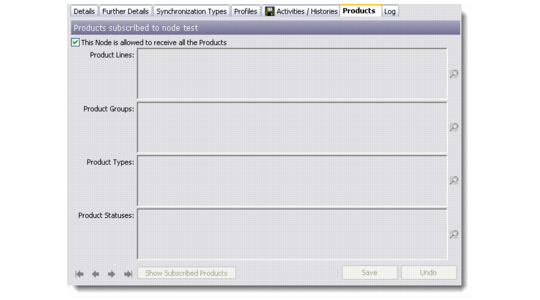
1 In the Node Details dialog box, click the Products tab.
Node Details - Products
2 If you want the remote node to access all the Products, select the This Node Is Allowed To Receive All The Products check box. Then click Save. Skip the following steps.
3 If you do not want to send all the Products to the Remote Node and subscribe based on certain condition, select the following fields:
Product Lines
Use the lookup to enter the product lines.
Product Groups
Use the lookup to enter the product groups.
Product Types
Use the lookup to enter the product types
Product Statuses
Use the lookup to enter the product statuses.
4 Select Save.