Loading Data Subsets on Nodes
1 Copy the data subset file of the node in .res format from:
QADCRMInstallDir\prod\dataout
to this directory where QAD Remote Sales is installed:
QADCRMInstallDir\datain
2 Log in as demo in QAD Remote Sales.
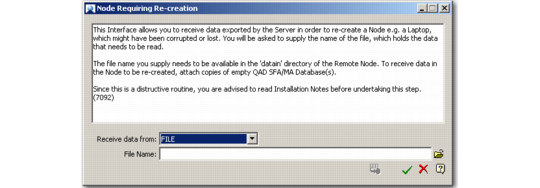
3 Choose Main Menu|Remote Sales Data Synchronization|Load Data to Recreate Current Node. The Node Requiring Re-Creation dialog box displays.
Node Requiring Re-Creation
4 From the Receive data from drop-down list, choose File.
5 In the File Name field, specify the full path and name of the .res file you copied in the step 1.
6 Click OK. The system starts loading the data into the personal database. The system displays warning messages before loading the data. Select Yes to these messages.
7 Restart QAD Remote Sales.