Export Data
The Export Data option of the Translation Manager lets you export source strings and messages for translation from the system to Microsoft Excel spreadsheets in predefined formats.
Export Data
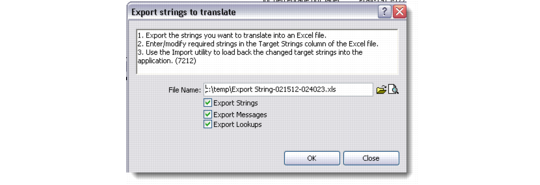
File Name
Click the folder icon to browse and choose a file and location where the exported source strings and messages are saved. If this is an existing file, you can view it by clicking on the document icon. In case a file already exists, the system confirms whether you want to overwrite the file.
Export Strings
Select this check box to export source strings.
Export Messages
Select this check box to export source messages.
You can export strings and messages together or separately. If exported together, the first sheet of the Excel file contains the exported strings and the second sheet contains the exported messages.
The Excel sheet consists of the same columns as in the Translation Manager browser. All the columns of this Excel sheet are read-only except the Target Language column. The editable and read-only columns are displayed in different colors.