Translation on Demand
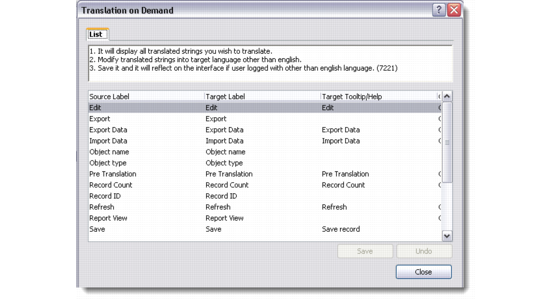
The Translation on Demand option lets you view and modify all the labels and Tooltips for the current interface.
Translation On Demand
In any browser, press Alt+F3 to display the Translation on Demand window. Right-click and choose Edit to modify target labels and Tooltips. Click Save to modify the record.
Note: Modifying and saving a record through the Translation on Demand window does not make any global changes or replacements in the system. It only modifies the selected record.
If you are logged into the system using any language other than English, then the modifications you make through the Translation on Demand window get updated immediately.
However, you cannot modify labels and Tooltips through the Translation on Demand option if the current login language is English. In this case when you click Save, a Target Language pop-up opens. Use the drop-down list to choose the target language for modification. The system does not let you change labels and Tooltips in English since that is the default language used by QAD CRM.
Target Language