Setting Up Regional Nodes
To create a regional node:
1 Choose Main Menu|Remote Sales Data Synchronization|Remote Node Setup.
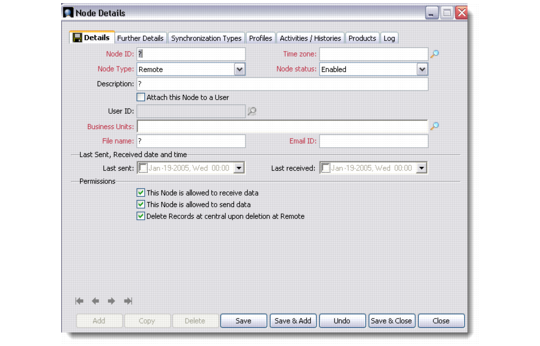
2 Right-click the host or regional node and choose Add. The Node Details dialog box displays.
Adding Details of a Regional Node
3 Select Regional from the Node Type drop-down list.
4 Specify the required node details as described for the previous procedure. In the Description field, enter a brief description of the node.