QAD Customer Relationship Management 6.7.2
>
Administration Guide
>
System Configuration
>
Export Options
Export Options
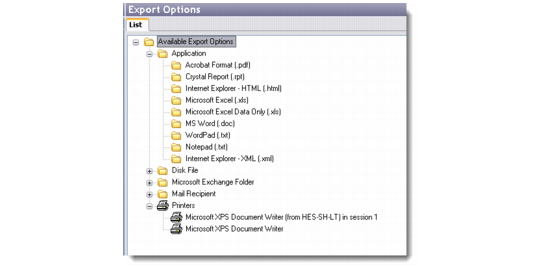
The Export Options screen lists the types of options available in the QAD CRM system to export data.
Export Options
All browsers in the system let you export information to a selected output channel. Right-click and choose Export from any of the system browsers. This opens the Export Wizard, which guides you through the process of exporting data. For more details, see the Reports section of QAD Customer Relationship Management User Guide.
All output formats in the system are mapped to the export capabilities of Crystal Reports. The Export Options screen therefore does not let you add or delete any options. You can only edit the options listed through the Export Option Details window.
Export Option Details
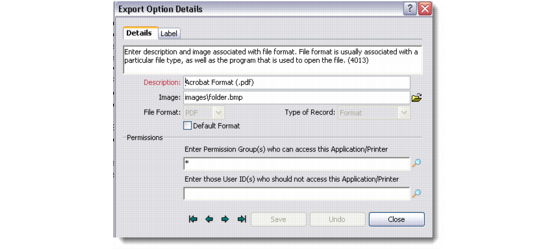
Select any export option. Right-click and choose Edit to display the Export Option Details window.
Details
Use the Details tab to change the description and image associated with the selected export file format. The image file you choose displays as the associated icon for the export option. You can also set permissions from this tab.
Select the Default Format check box to indicate that the export option should be displayed by default when users select the Export option.
Label
Use the Label tab to add, edit, or delete labels for the listed export options.