Example for Setting Profile Data in QAD CRM
Generating Proxy Class Files
Ensure that the schema files maintainProfile_CRM_1.xsd and maintainProfileResponse_CRM_1.xsd are available in the same folder as the wsdl file.
1 Open a Visual Studio Command Prompt and enter the following command:
wsdl /language:c# /out:<FolderPath>\MaintainProfile.cs <FolderPath>\maintainProfile-CRM_1.wsdl
The command generates the MintainProfile.cs file.
2 Import the generated .cs file into the Visual Studio Project. The generated code contains methods needed to call QXtend from a C# client.
Using Proxy Class Files
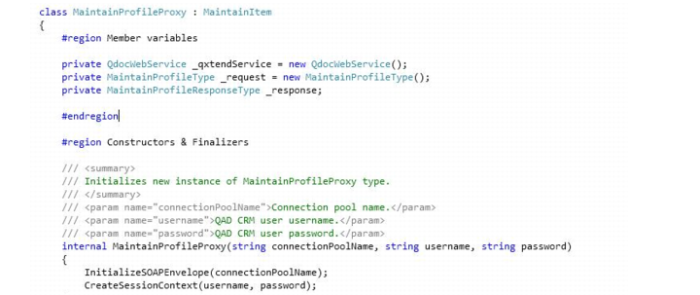
• Create class variables for QDoc Web Service, Request, and Respond.
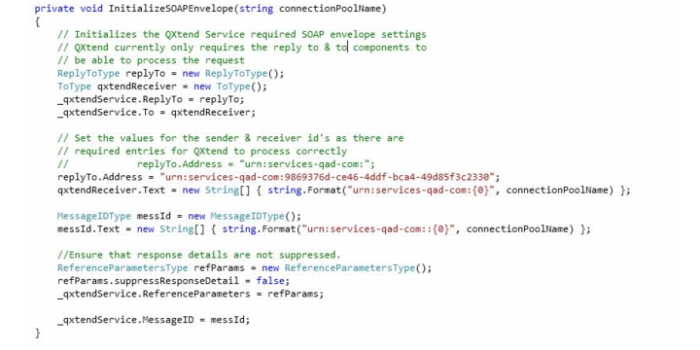
• Initialize the values in the SOAP Message Envelope, create a procedure named InitializeSOAPEnvelope, and then call the procedure from the constructor.
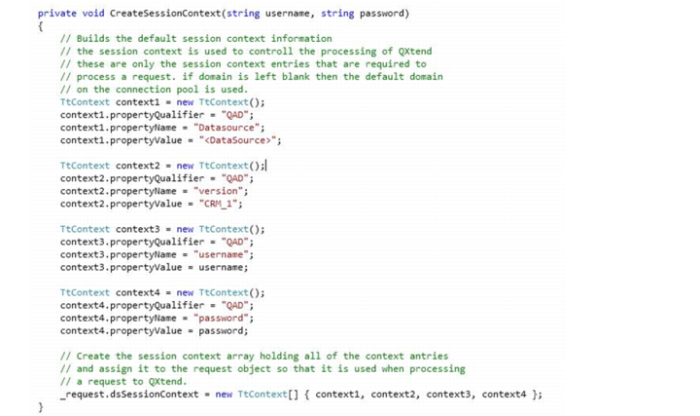
• Create the session context entries required to call the QXtend Web Service and a procedure named CreateSessionContext.
• Call the CreateSessionContext procedure from the Constructor.
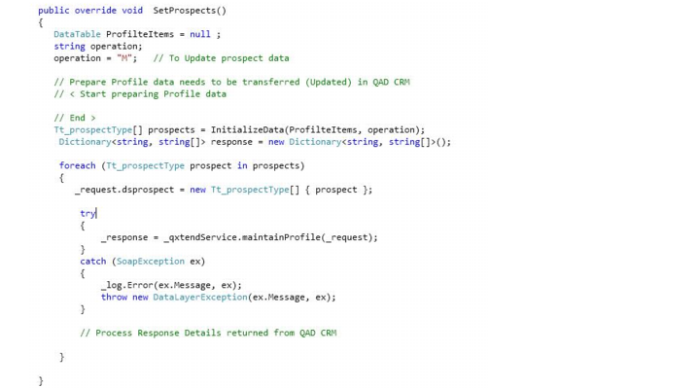
The following code shows how to call CRM API using QXtend.