Import Data
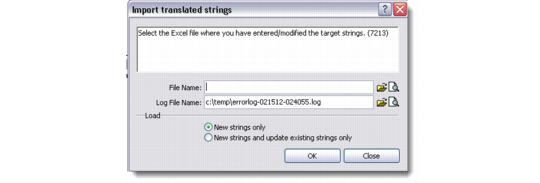
The Import Data option of the Translation Manager lets you import the Microsoft Excel spreadsheets where you have entered or modified the target strings and messages.
Import Data
File Name
Enter or choose the Excel file from which to import the translated target strings and messages into the system.
Log File Name
This field displays the location of the error log. The system automatically generates an error log after the import process is through. Click the folder icon to choose an alternate location.
New Strings Only
Select this radio button if you want to import only the new strings from the Excel file into the system. This option imports only those strings for which no target language has been specified.
New Strings and Update Existing Strings
Select this radio button if you want to import new strings as well as update the existing strings from the Excel file.