Report Options
Use the Report Options to specify report-related settings for the Crystal reports supported by QAD CRM.
Report Settings
Settings
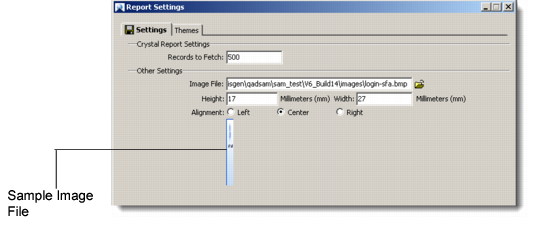
Records to Fetch
Enter the number of records that you want displayed in each report screen.
Image File
Click on the folder icon to browse and select an image file. The image that you choose here is displayed by the QAD CRM report viewer for all standard and user-defined reports. The system displays a sample of the selected image file.
Height/Width
Specify the height and width (in millimeters) of the image display.
Alignment
Choose the alignment of the selected image by clicking the appropriate radio button.
Note: The image feature is designed especially for situations where, for example, a company wants to display the company logo on all its reports.
Themes
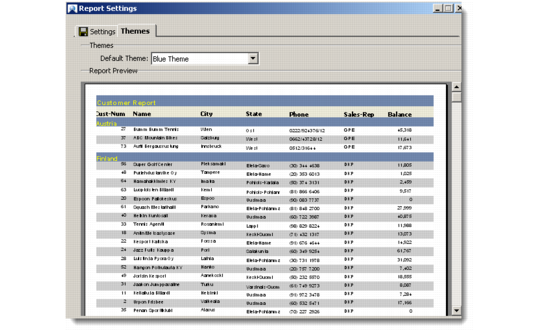
Use the drop-down list to choose the default theme for your report display. You can see a preview of the chosen theme in the Report Preview area.
Report Themes