Pre-Upgrade Tasks
Perform the following steps before upgrading the QAD CRM database from version 6.4 B2 / 6.4 B6 to 6.4 B8.
1 Make sure the following prerequisite components are installed:
• Progress 10.1C03 / 10.2A02 / 10.2B01 / 10.2B02 Client Networking, Query Result and OE Studio
• QAD CRM 6.4 B8
• The appropriate version of QAD Enterprise Applications (if you want to integrate QAD CRM with QAD Enterprise Applications)
2 Perform QAD CRM 6.4 B2 / 6.4 B6 data synchronization. That is, make sure all the remote nodes are synchronized with the host database because remote nodes need to be re-created after upgrade. If you do not synchronize then their data will not be available on the host; this way they can lose the data.
3 Make sure that there are no r-code files available under various sub-folders of QADCRM64InstallDir\compile folder. In case any r-code files are available then delete them, where QADCRM64InstallDir is your QAD CRM 6.4B8 installation directory.
4 Back up the QAD CRM 6.4 B2 / 6.4 B6 databases (bisgen, bisgmenu, and dataexch) that you want to upgrade.
5 Make sure that no user (including any Progress AppServer process) is using the QAD CRM 6.4 B2 / 6.4 B6 database during the upgrade.
6 Make sure that the product table in the bisgen database is not frozen using the following steps:
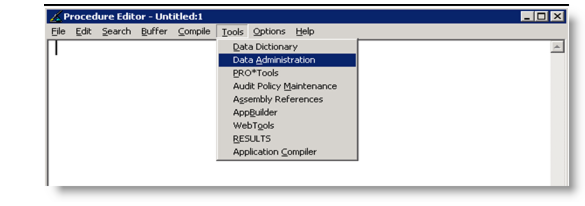
• Go to QAD CRM Procedure Editor and select Tools|Data Administration.
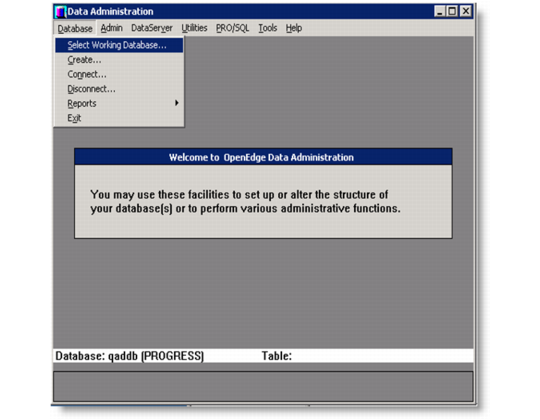
• Select Database > Select Working Database.
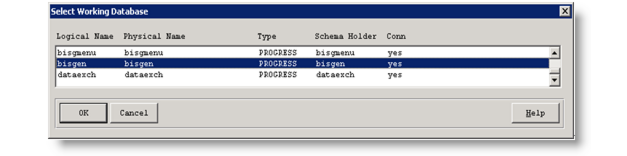
• Select bisgen database from the following Select Working Database screen and press OK.
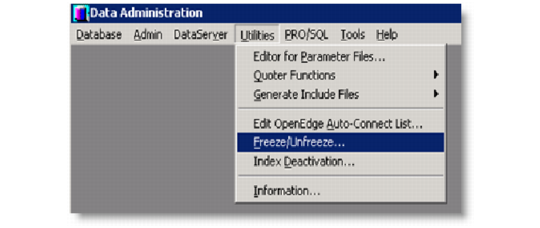
• Select Utilities > Freeze/Unfreeze.
• Select the Product table from the list and press OK.
• Make sure the Frozen check box is unselected and press OK.