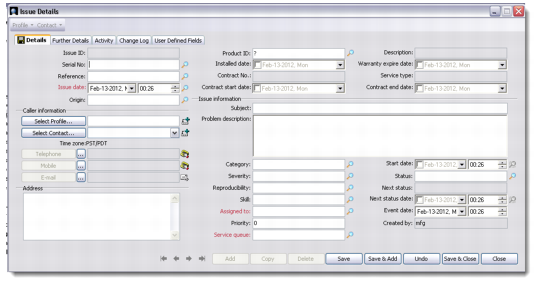
Tabs | Action |
Details | To add issue details, start by using the look-ups on the Details tab for an existing profile or contact. Otherwise you can add a new profile or contact through the buttons provided. |
Further Details | You can record additional issue details in this tab. It also lets you add attachments and record the issue duration. |
Activities | You can view the activities associated with the issue here. Two views at the bottom of this window let you view both planned activities and issue history. You can also add a new activity associated with this issue, if required. To enable the Add option in the Activities tab, ensure that all information entered previously in other tabs has been saved. |
Change Log | This tab displays a log of those fields for which auditing option is enabled. The fields that display in this log depend on the settings made by your system administrator. You can change the settings from the Customer Service module. |
User-Defined Fields | You can view and update the user-defined fields created for this particular issue through this tab. |