Sending an E-mail from QAD CRM
Before using this function, set the e-mail preferences in your system. See
Email for details on e-mail preferences.
To send an e-mail from QAD CRM:
1 Do any of the following:
• Click the Send an Email button on the toolbar.
• Choose Email from the Add an Activity drop-down list.
2 If the Select Compose Screen pops up, select your e-mail client and click OK.
Select Compose Screen
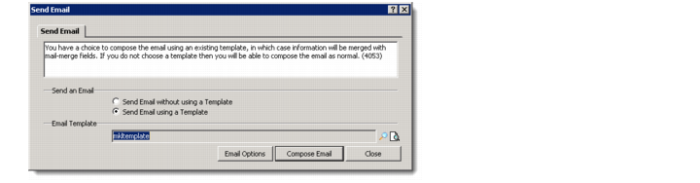
3 On the Send Email window, select your template and click Compose Email.
Select e-mail Template
The e-mail compose window is displayed.
4 Compose and send your e-mail.