Viewing E-mails Transferred to QAD CRM
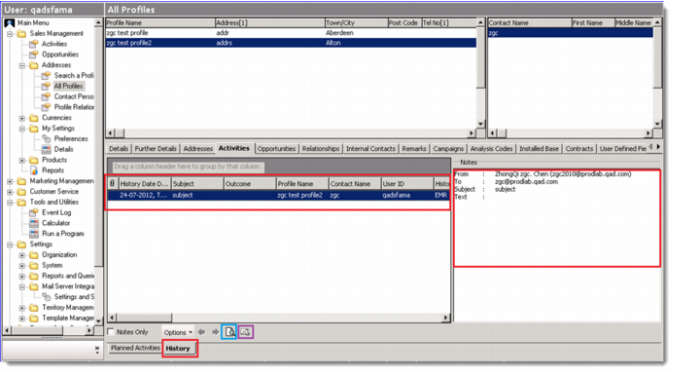
In QAD CRM, you can go to Sales/Marketing Management|Addresses|All Profiles|Activies|History to view the e-mails from Microsoft Outlook. The e-mails are attached to the profile that the contact is included in.
To view the e-mails in HTML format, click the magnifier icon. If Microsoft Outlook is locally installed, click the e-mail icon to open the e-mail in Microsoft Outlook. The attachments of the e‑mails are not stored in QAD CRM. You can view them by opening the e-mails in Microsoft Outlook.
View E-mails from Microsoft Outlook in QAD CRM