Printing Mail Labels
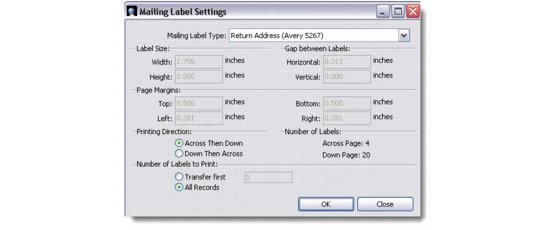
You can print mail labels directly from the Contact Persons screen. Select the contact records from the browser, right-click and choose Print Mail Labels. The Mailing Label Settings window displays.
Mailing Label Settings
Choose the mailing label type from the drop-down list. The label dimensions and page margins are hard-coded and change depending on the label type you choose. Select the printing direction of the label and the number of labels to print, and save the record.
This creates an output file in Crystal Reports with proper mailing label format. Select the appropriate paper size, and click the Print button to print the mailing labels.