Running Reports
You can select an external report and run it directly from the Reports screen. There are multiple ways to run a report. Select the report and do one of the following:
• Click Run this report on the toolbar.
• Right-click and choose Run this report.
• Choose Run this report from the File menu.
Note: Similar options are available for Edit and Delete.
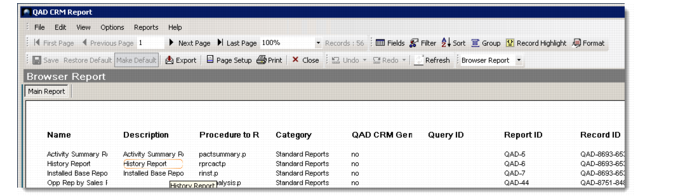
You can run browser reports from any browser within the system. Right-click and choose Report View to display a browser report. You can control the number of records to display in a browser report. For details, see
Report Settings.
However, the following kinds of reports can be run only from the location where you save them:
• New instances of browser reports that have been saved under the Send To or Browser Reports category
• Custom reports that have been created using the Report Writer, and belong to the Send To or Browser Reports category
Such reports appear in the drop-down list that displays when you run a browser report from the same location.
Running Reports Generated Using Report Writer
Note: While saving these reports, it is recommended that you include the report location in the Description field for easy reference at a later date.