Managing Output Channels
The system lets you choose the output channel of a selected report through the Export option. There are multiple ways to export a report:
• Choose Export from the File menu.
• Right-click and choose Export.
• Click Export on the toolbar from the report display.
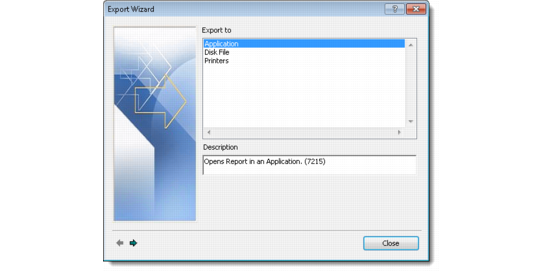
Export Wizard
1 Choose the Export option to open the Export Wizard. Use it to export reports to the following output channels:
• Application
• Disk File
• Printers
2 Select one of these output channels and click the forward navigation arrow to select channel types.
3 Click the forward navigation arrow again to select a location where the output file can be saved.
4 Click OK to export the selected report to the chosen output channel.
External applications or channel types that can store reports include:
• Acrobat Format
• Crystal Reports
• Internet Explorer - HTML or XML
• Microsoft Excel
• Microsoft Word - Document or Rich Text
• WordPad
• Notepad