Attaching Scripts to Targets
Before a script can be processed it must be attached to a target, which is a profile/contact combination.
Note: Scripts can be attached to profiles and contacts from the Scripts module. Scripts can also be attached to targets from the Addresses module, and added as an activity to the Activities screen.
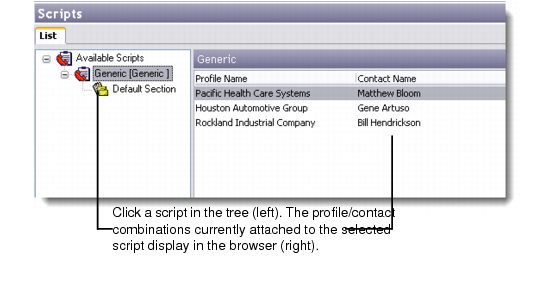
1 From the application menu choose Scripts. The Scripts tree view displays the scripts currently defined in the system.
2 Select a script. The target browser to the right displays any target profiles and contacts currently attached to the selected script.
Profiles Currently Assigned to a Script
3 Right-click the browser and choose Add Target.
Note: This menu also contains additional options for working with scripts, such as Delete Target, Process, Script Analysis, and so on.
4 The Find Profile/Contact browse displays. Select a profile from the search results and click OK. The selected profile and contact record is added to the list of attached profiles/contacts.