Processing Marketing Campaigns
The Campaign Processing sub-module lets you manage the various stages of a campaign. It also lets you add activities, create tasks, and attach targets to each campaign stage. You can use this option to execute tasks against select campaign targets. For example, you can run a telemarketing script for all customers who have joined in the last six months.
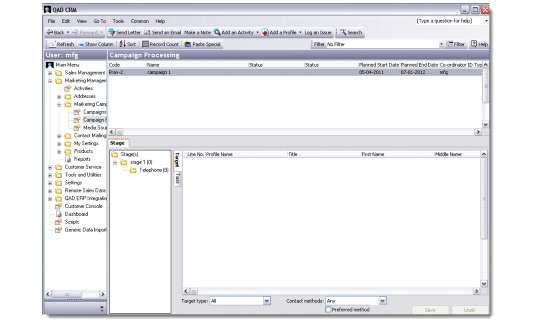
The Campaign Processing screen has two parts—the top half is a browser displaying the list of campaigns in the database, while the bottom half opens the stage details of the selected campaign.
Campaign Processing
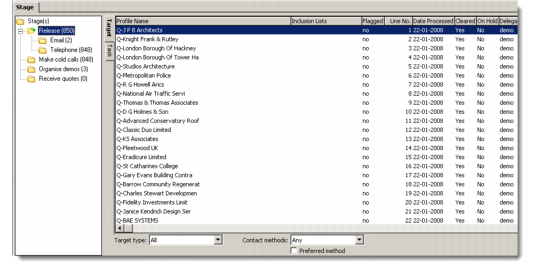
The bottom half of the Campaign Processing screen has two areas. The left side displays the stages you have added to a campaign, and the targets available in the database for each stage. The right side lists the targets available and the tasks associated with each stage.
Note: The number of targets displayed in the right side depends on the access permissions of the logged user. The number of targets in the tree view on the left may therefore not be identical to the number of targets listed on the right.
Campaign Processing Stages
You can alter the view of the displayed records by selecting appropriate options from the Target type and Contact methods drop-down lists.